Wall done: our family calendar is finished

@wintaru · Oct 16, 2026 · 7 min read
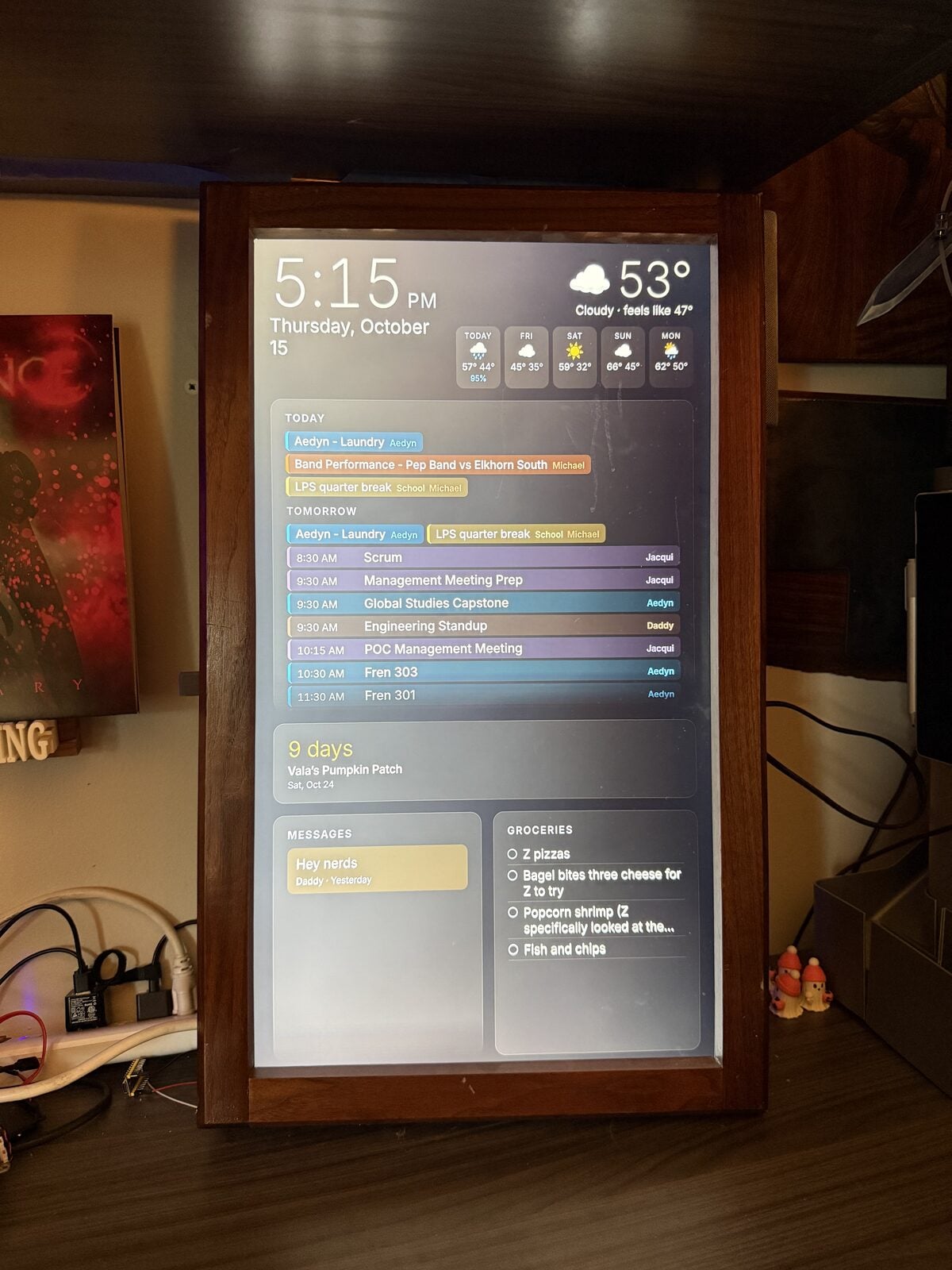
Our family wall calendar is done and on the wall. It's a 4K screen turned on its side in a wood frame, with a small Intel NUC computer inside. It shows our calendars, the weather, the grocery list, messages, countdowns, and photos that we send from our phones. This post covers everything it does and how it's built, and the code is now on GitHub if you want to build your own: github.com/Wintaru/family-calendar.
I first tested it on a Raspberry Pi while I waited for the NUC. That post is here. The short version: the Pi worked, but it was too slow to switch pages, so it was on hold until the NUC showed up.
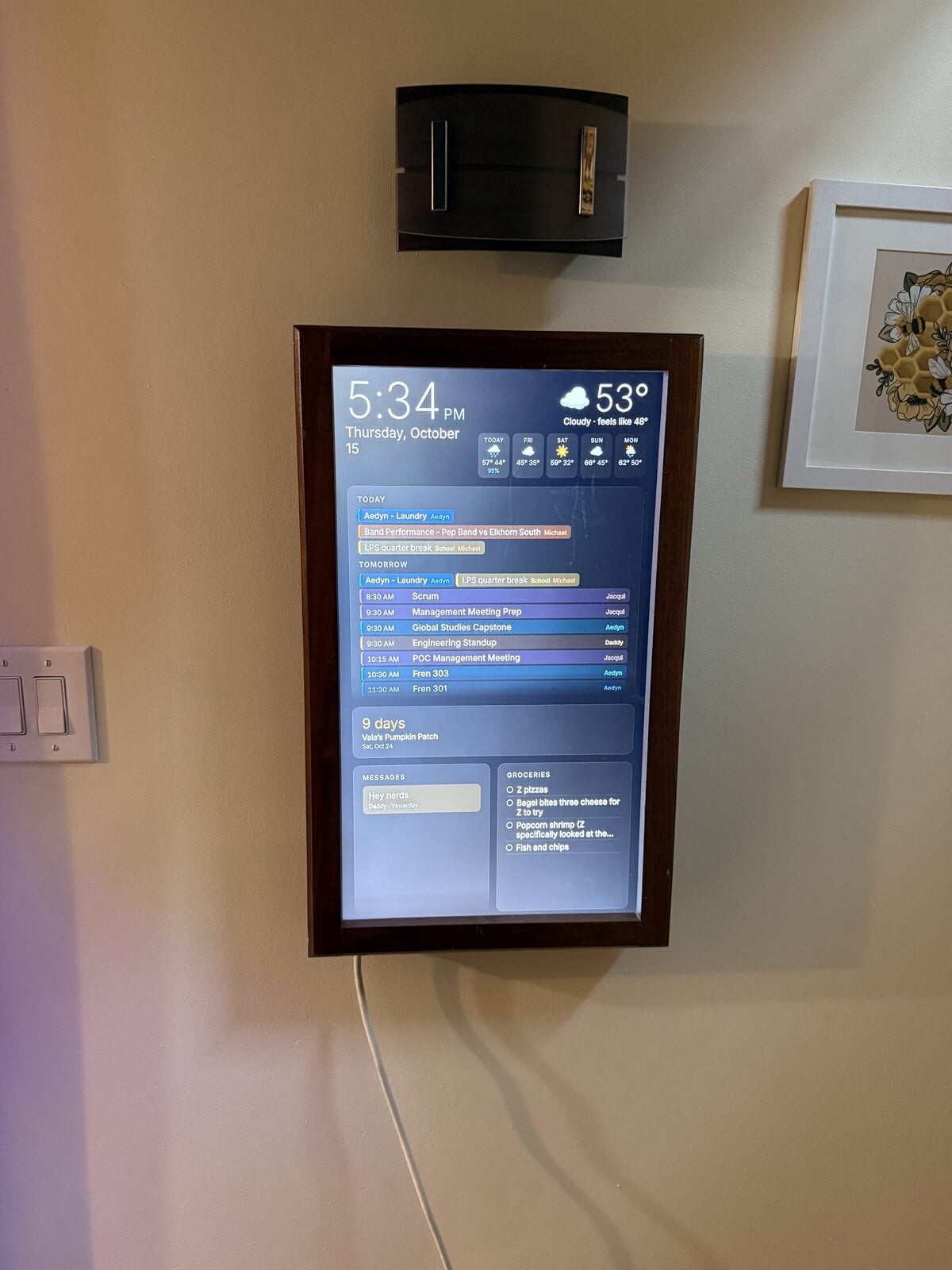
What's on the wall
The wall switches between two pages. The calendar page shows for 45 seconds, then the photo page for 15.
The calendar page has:
- The clock, the date, the weather now, and five days of forecast. The weather comes from Open-Meteo, which needs no account or key.
- Our Google calendars for the next few days. Each event shows a short name for whose calendar it's on, like "Aedyn" or "Daddy", in place of a long email address.
- All-day events as small chips at the top of each day, so they don't push the real appointments off the screen.
- Countdowns, like "9 days to the pumpkin patch". A countdown can repeat every week, every two weeks, every month, or every year.
- The message board. When there are no messages, it hides, and the grocery list takes the whole row.
- The grocery list, straight from Microsoft To Do.
- A "trash goes out tonight" card the evening before pickup.
The photo page shows the next photo that someone sent, and a fact under it. A new fact shows every 15 minutes.
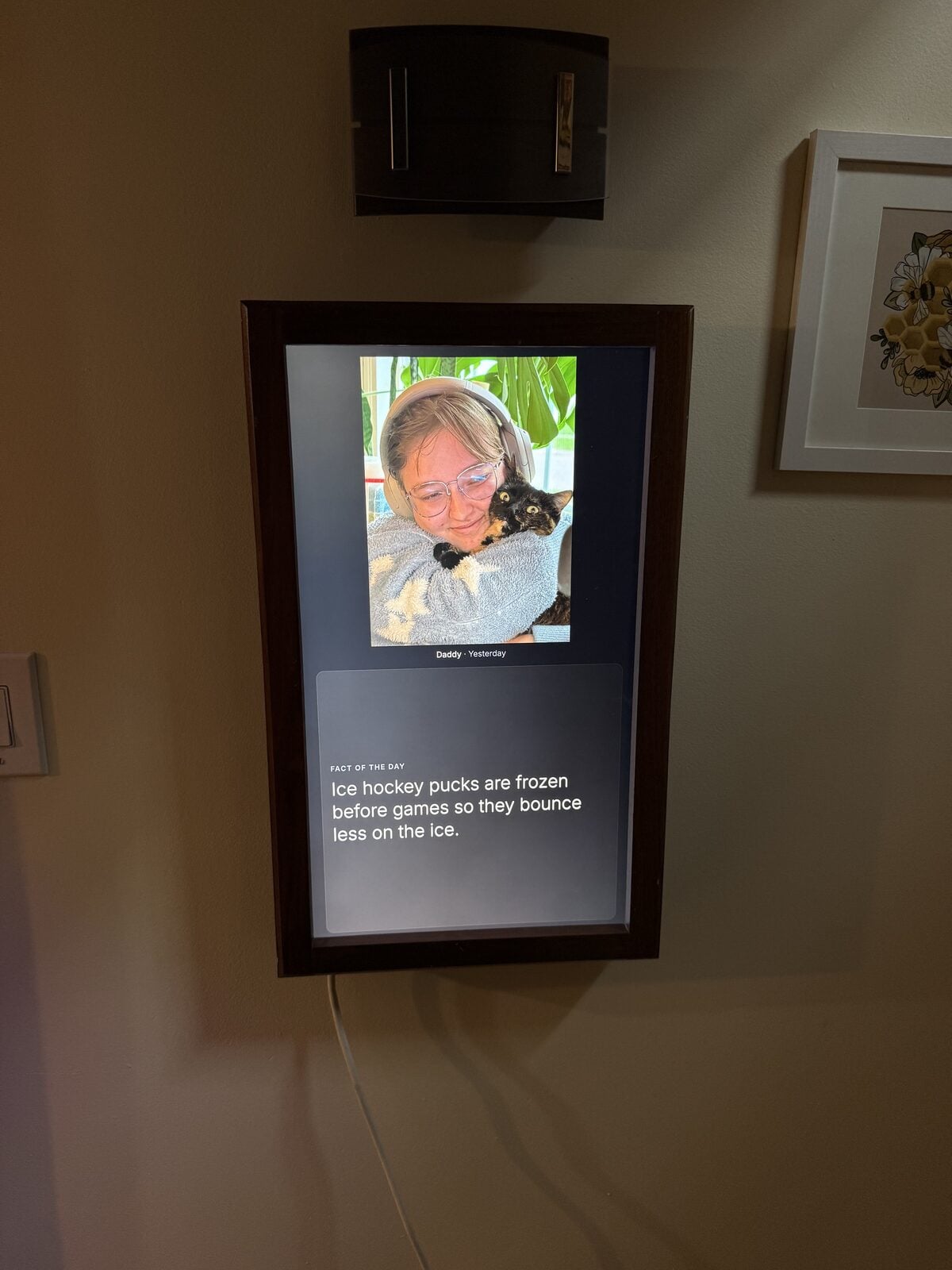
From 8 PM to 4 AM, the screen goes black and the panel turns off. That's on purpose, but last night it fooled me into thinking it was broken. So now the phone page has a "Turn on for 1 minute" button that only shows at night.
The phone page
Anyone on our Wi-Fi can open http://calendar.local on a phone. There's no sign-in. On an iPhone, you can add it to the home screen and it opens like an app.
From the phone page you can:
- Pick which page the wall shows. The picked page stays up for two minutes.
- Add groceries and check them off. These go into the real To Do list, so the list on our phones stays in step.
- Post a message for 1, 3, or 7 days, or until a date you pick.
- Send a photo, or remove one.
- Add or remove a countdown.
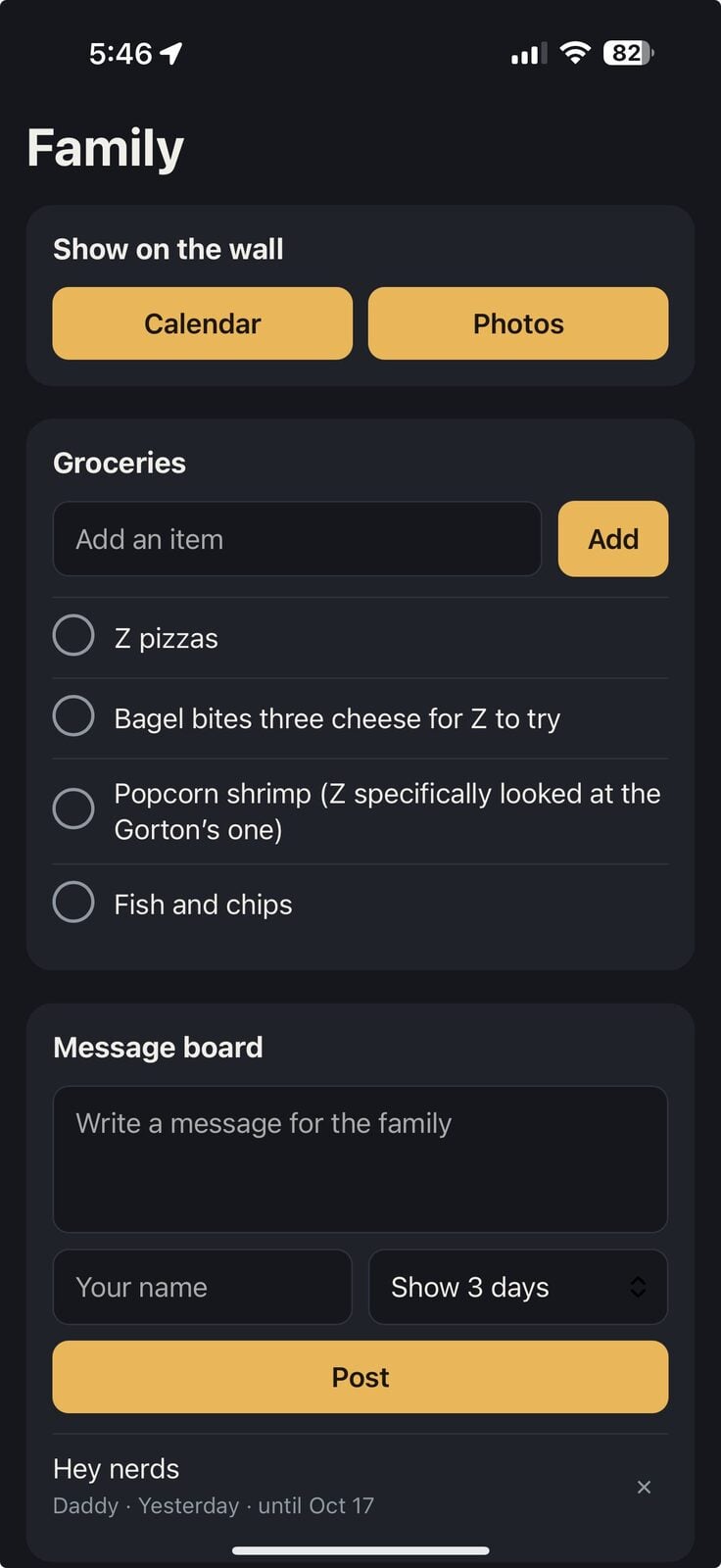
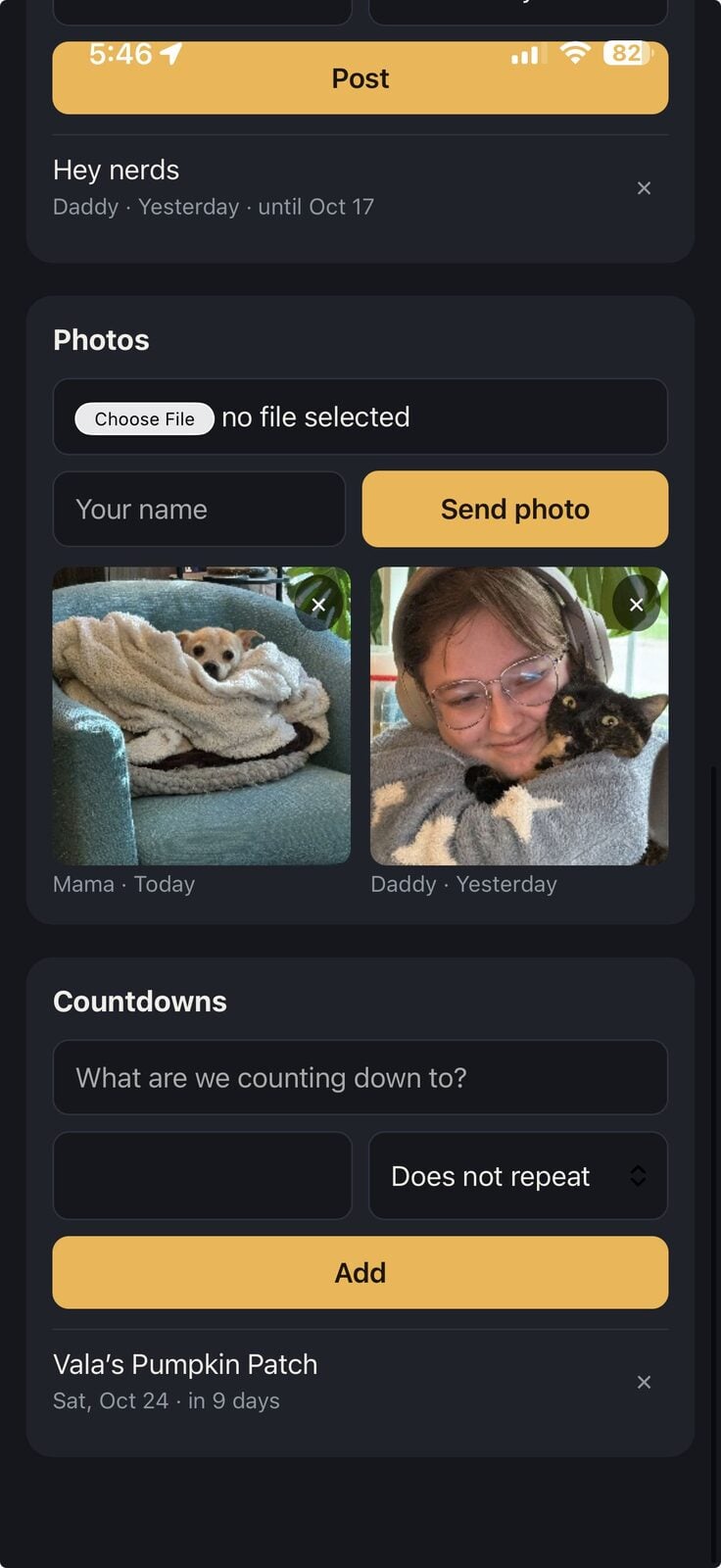
When someone sends a photo, it shows on the wall at once, so the sender sees it arrive. The phone shrinks the photo to 1600 pixels on the long side before it uploads, so the wall computer never has to resize anything.
The build
The screen is a 4K panel in a wood frame. The NUC board, the power supply, and an old SSD all fit inside the back of the frame.
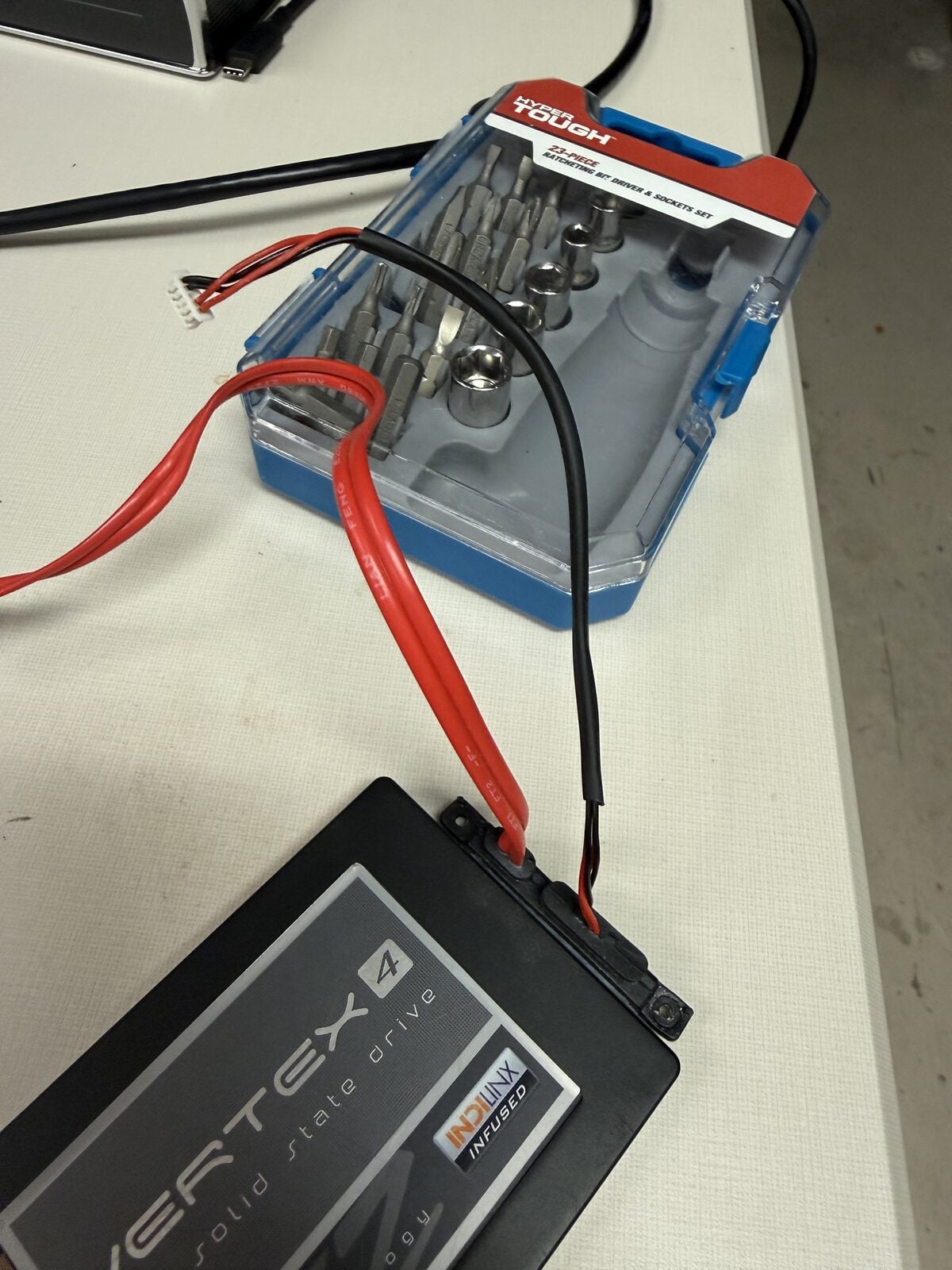
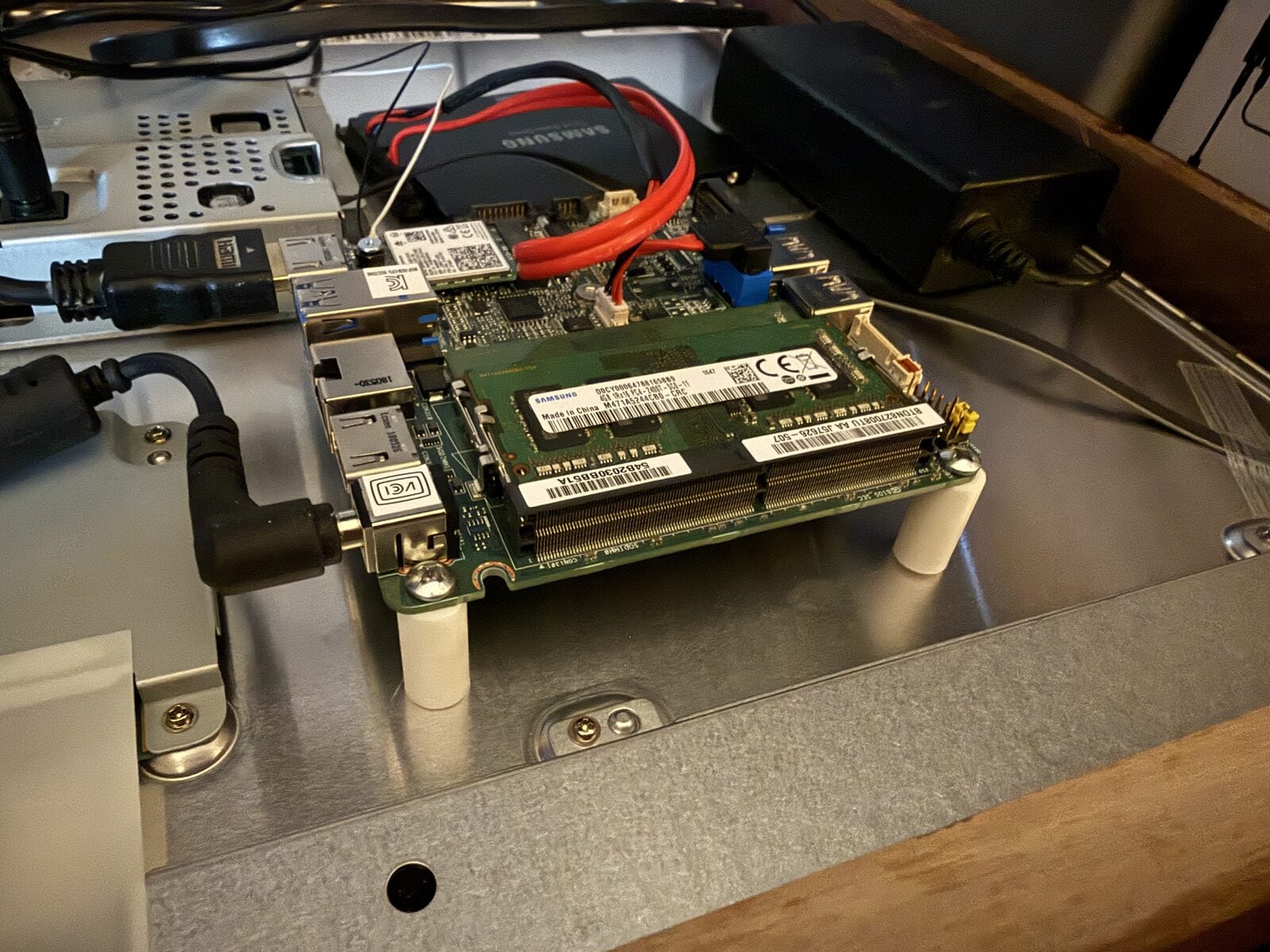
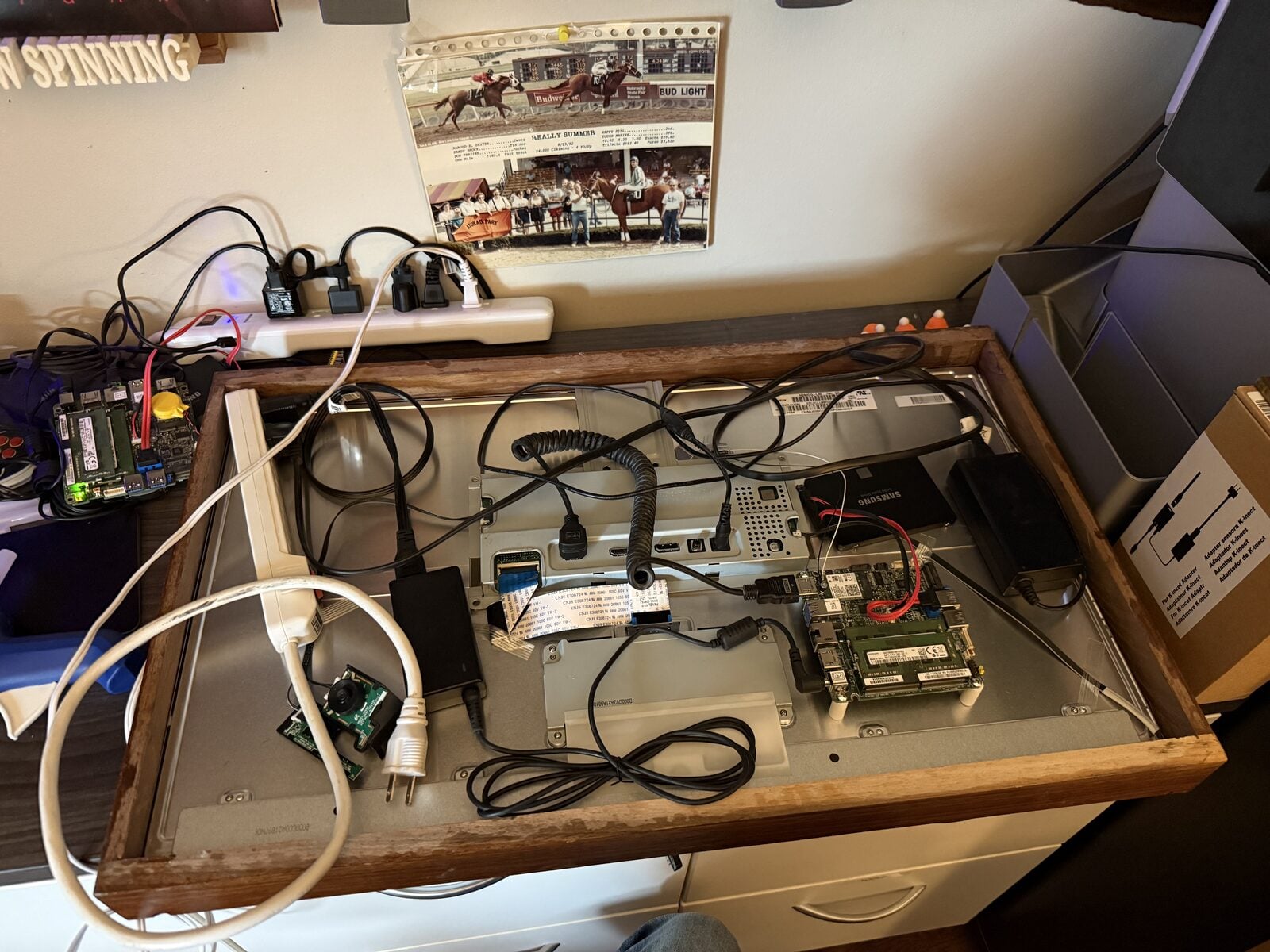
Here it is on my desk with everything running, before it went up.
The tech, for the curious
The app. It's a SvelteKit web app in TypeScript, running on Node 26. Node 26 has two things built in that I used a lot: Temporal, a new way to work with dates and time zones that doesn't fall apart at midnight, and node:sqlite, a small database in one file. Messages, countdowns, photos, and facts all live in that one file. The wall itself is just a web page, open full screen in Chromium.
Live updates. When someone posts from a phone, the server pushes a short "something changed" note to the wall over a connection that stays open (called server-sent events). The wall then reloads its data. It also reloads every minute anyway, so calendar and To Do changes made somewhere else show up too.
Google Calendar. The normal way in is an OAuth app, and Google wanted to review mine before it could leave testing mode. Instead, a small Google Apps Script runs in my own Google account and hands back my calendars. It sees every calendar that's shared with me, and the app asks it for new events every five minutes.
Microsoft To Do. This one needs an app registration, even for a personal account, and that needs a free Azure account first. To connect, you open a setup page, go to a Microsoft address on any device, and type in a short code. The wall never sees my password.
Merging copies. Some events show up on more than one calendar. The school's "last day of the quarter" is on the school calendar and on a kid's calendar. Copies on the same day at the same time with the same title now merge into one row, with both short names on it.
The facts. These come from Claude, through the Anthropic API. One time each day, the app asks Claude Opus for 96 facts, one for each 15 minutes, and saves them. It also sends the last few days of facts so they don't repeat. One request a day costs about $4 to $5 a month.
Running on its own. The NUC runs Fedora with the KDE desktop. A setup script turns off sleep, turns on automatic login, and lets the app use port 80, so phones don't need to type a port number. The app runs as a service that starts at boot and restarts if it crashes. Chromium opens when the app answers, and opens again if it ever closes. The .local name works because of mDNS, which lets devices on a home network find each other by name.
Night mode. The app turns the panel off with a KDE command at 8 PM and back on at 4 AM. The app starts before the desktop does, and the screen command crashed when there was no desktop yet. Now a small script checks for the desktop first and fails cleanly, and the app tries again 30 seconds later.
Deploys. One script on my Mac builds the app, copies it to the NUC, and restarts it. After a deploy, the page already on the wall would try to load code files that no longer existed and get stuck on an error page. Now the page checks the app's version before each refresh, and reloads itself when the version changed.
Safety. There's no sign-in, so the app only answers to home network names and local addresses, and it refuses requests that come from other websites.
Things that didn't go to plan
The 4K panel came up at 165% scale, so the page was drawn for the wrong size. At 200%, it's exactly the 1080 × 1920 the page is designed for.
The calendar took up most of the screen and showed only two days. All-day chips, merged copies, and short names make each day take a lot less room.
The Pi. It's a good little computer, but it just wasn't cut out for this job. Its days were numbered, and now it's the calendar's job to number them.
Want one?
The code, the setup script, and the install steps are all on GitHub. It's MIT licensed, so take it and change whatever you like.
Drafted with an assistant, edited by @wintaru
0 comments