Branching out: worktrees from a button

@wintaru · Oct 14, 2026 · 7 min read
Part 3 of a series on my work dashboard. Part 1 covers why I built it.
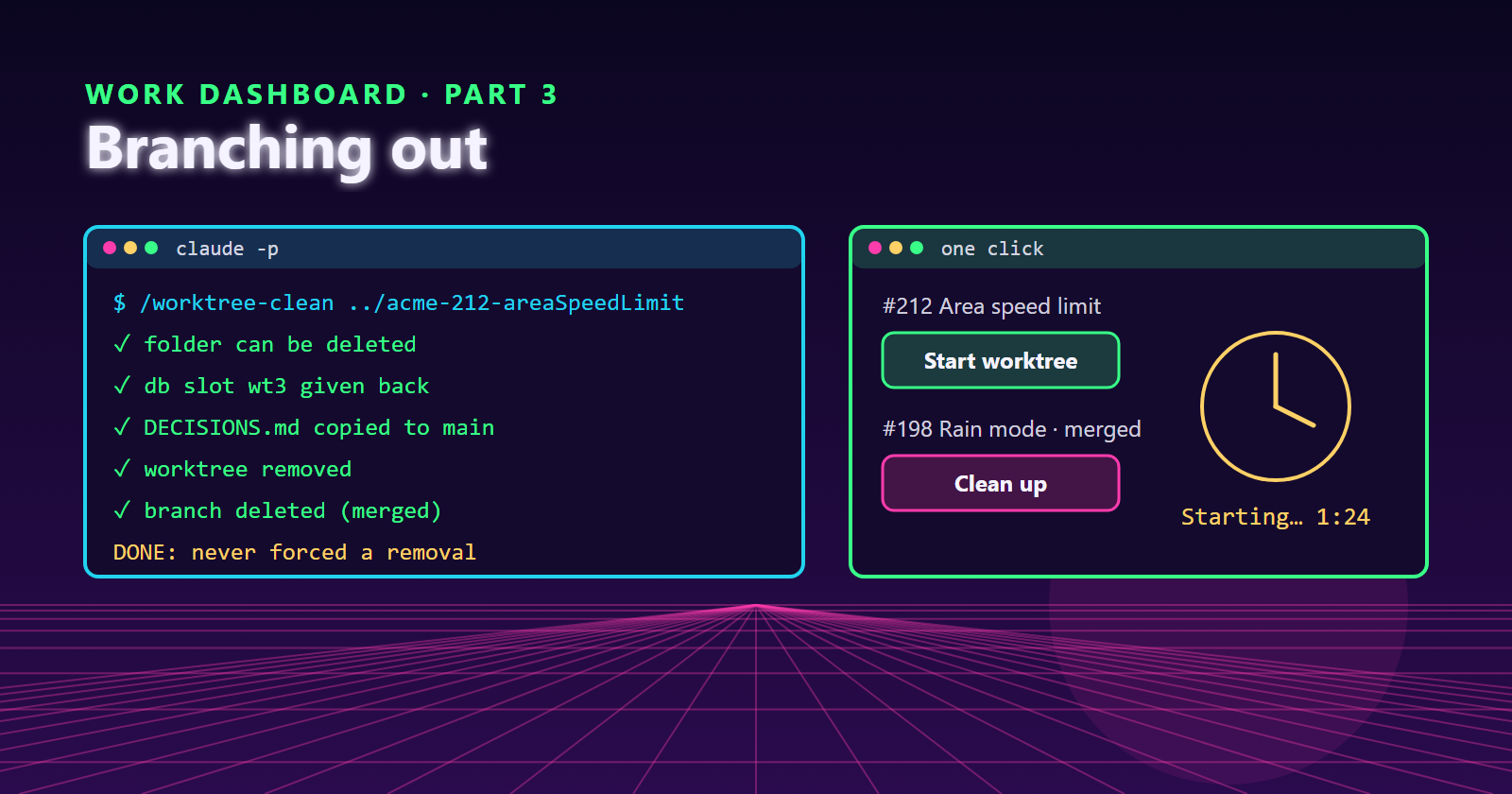
This one is for anyone who juggles several pieces of work in one repo and is tired of the setup and teardown that comes with each one. My dashboard has two buttons, Start worktree and Clean up, and each one hands the whole job to Claude Code. Here is what they do, what stops them, and how long they take.
The screenshots use a made-up company, Acme Robotics, with made-up issues.
What a worktree is
A git worktree is a second (or third, or tenth) folder for the same repo, each with its own branch checked out. You can have one folder per piece of work and switch by opening a different folder, instead of stashing and switching branches in one folder. That is what lets me run several Claude Code sessions at once without them stepping on each other. I went into that in part 6 of my agentic layer series.
The catch is that a worktree at work is more than a folder. A new one needs my editor's run settings copied over and its own local database. An old one needs that database given back, and its decision log copied into the main folder before it goes away. I already had two slash commands that do all of that: /worktree and /worktree-clean. The buttons just run them.
Where the buttons came from
The Clean up button was my idea on day one. The dashboard already flagged a worktree that was ready to go, and I asked: "What about a button for the attention needed if the worktree is ready to be cleaned up that I can just click to have claude do that." Start worktree came along with it, for the other end of the life of a piece of work.
- Start worktree shows on an issue that has no branch yet.
- Clean up shows on a merged pull request (the request to merge my branch into the main code) whose worktree folder is still on disk.
The main checkout never gets a Clean up button, because it cannot be removed.
The confirm boxes
Neither button does anything until you confirm.
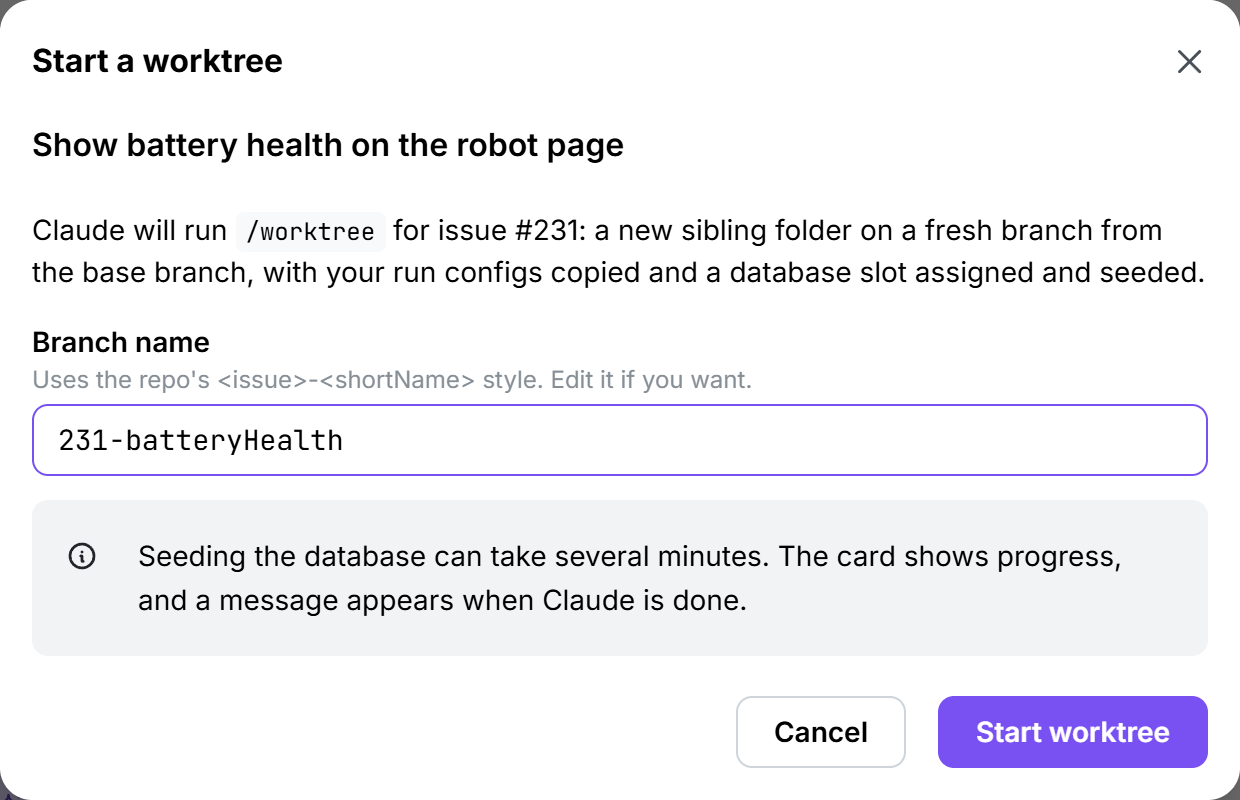
Start worktree suggests a branch name in the repo's usual style, the issue number plus a few words from the title, and you can edit it before you go. The dashboard checks the name is a legal git branch name before it lets you click.
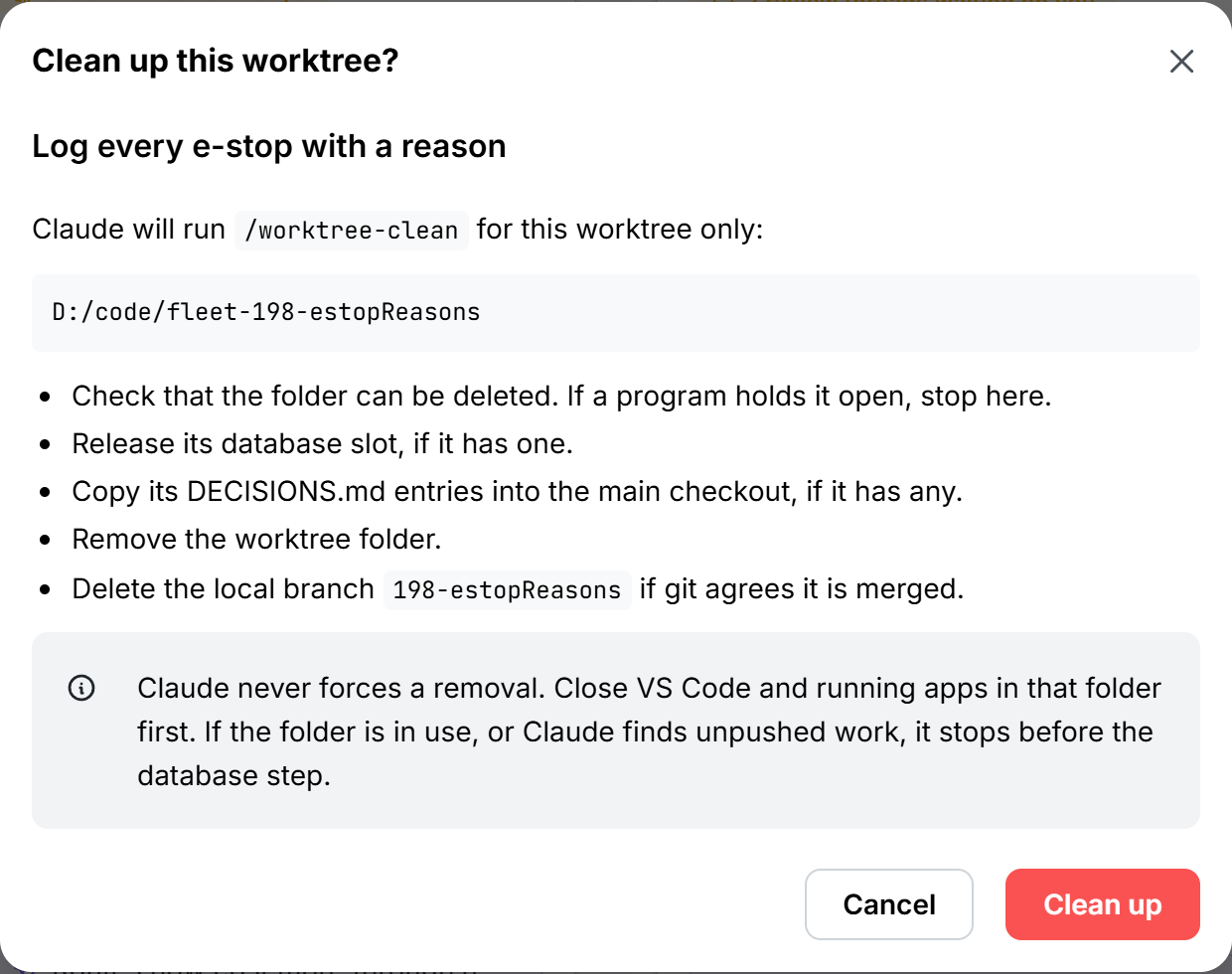
Clean up shows the exact folder and lists the five steps Claude will take:
- Check that the folder can be deleted, and stop if a program holds it open.
- Give back its database slot, if it has one.
- Copy its
DECISIONS.mdentries into the main checkout, if it has any. - Remove the worktree folder.
- Delete the local branch, if git agrees it is merged.
Under that is one more line: "Claude never forces a removal."
How a run works
When you confirm, the server runs Claude Code in print mode (claude -p), which is the mode where it runs one job with no chat window and nobody to answer questions. The prompt is just my own command, like /worktree-clean plus the folder path. The dashboard adds a set of extra instructions on top:
- Act only on this one worktree.
- Never use
--force,git branch -D, or a plain folder delete. - If there is uncommitted or unpushed work, stop and remove nothing.
- End the report with
DONE:orSTOPPED:.
Since print mode can't ask me for permission, my normal settings and hooks have to already allow the shell commands, or the run stops. My hooks run in these sessions too, the same as anywhere else (more on hooks in part 4 of the agentic layer series).
Only one run goes at a time, because they all change the same repo's worktree list. When it's over, the dashboard doesn't take Claude's word for it. It reads git worktree list itself to decide whether the run worked.
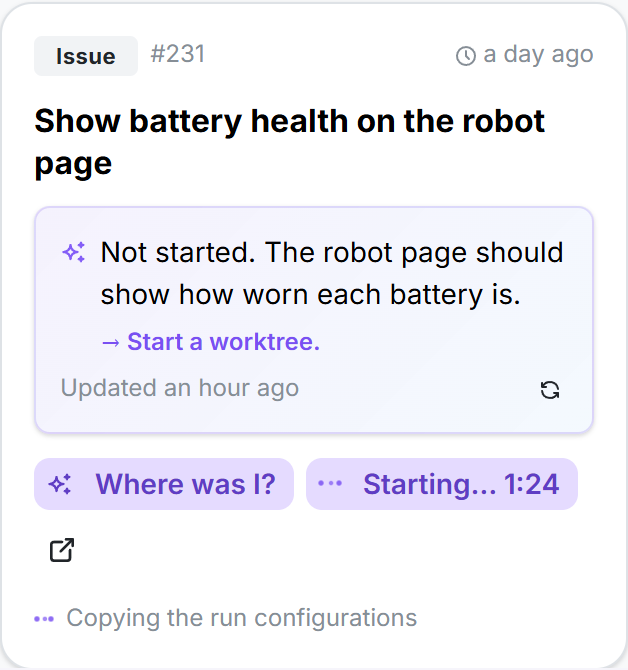
A run takes minutes, and a quiet button for minutes looks exactly like a stuck one. So while it works, the button shows a clock and the card shows Claude's current step. For the first half-minute or so, that step reads "Claude is starting up…", because Claude Code loads my settings and hooks before it does anything.
What can stop a clean-up
Clean up is the scary one, since it deletes a folder. So the button shows as blocked, with the reason, when:
- The worktree isn't on the merged commit. If the folder's latest commit isn't the exact one that got merged, it might hold newer work I never pushed.
- It has uncommitted changes. This counts untracked files too, meaning new files git was never told about. Today I hit this one and asked: "says untracked changes but I didn't think that would hold up cleaning up the worktree." It does, on purpose. An untracked file exists nowhere but that folder, so deleting the folder deletes it for good. Git's own
git worktree removealso refuses a folder with untracked files unless you force it, and the dashboard never forces. - Another run is already going. One at a time.
- The branch is a trunk branch like
mainordevelop, or the branch or folder name has odd characters. Then you clean it up by hand.
Even when the button is allowed, Claude's first step is to rename the folder and rename it back. On Windows, a folder that VS Code or a running app holds open can't be renamed, so this catches it before anything else changes.
The day the server died
One time I noticed a PR was merged, went to clean up its worktree, made sure I didn't have the files open in anything, clicked the button, and the page said the server was offline. The dashboard's log had nothing. As I put it then: "Hopefully the logs will tell us why if it happens again."
So now the server writes its own log file, whatever started it. It records each start, each signal, each crash, and a last EXIT line with the exit code. If a run ends with no EXIT line, the next start writes a warning, which means something outside the server killed it. If it happens again, it will leave a trail.
The result message
When a run ends, Claude's short report shows as a message at the bottom right of the page. A message for a run that worked closes after 15 seconds. One for a run that stopped or failed stays until I close it.
I liked the message, but told Claude "it can get long it looks like." Clean-up reports could fill that whole corner of the screen. Now a long report shows three lines, and Show more opens the rest. The full text stays one click away, because that message is the only place the report shows.

Each worktree gets its own database
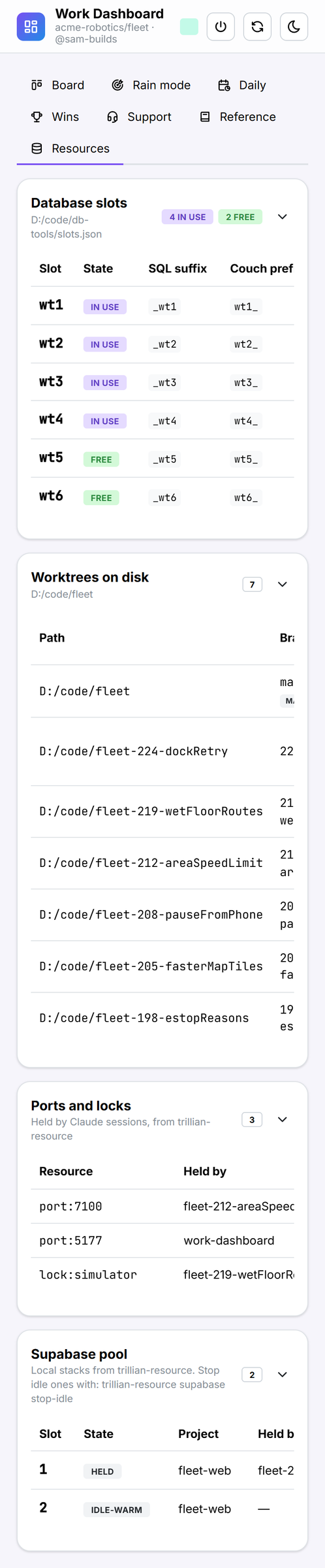
At work, each worktree gets its own copy of the local databases, so two pieces of work can't wreck each other's test data. A small shared file records which slot each worktree holds. /worktree takes a free slot and fills it with starting data, and /worktree-clean gives it back.
The Resources tab shows every slot, whether it's free or in use, which worktree holds it, and when it was last reset. Below that is every worktree on disk, with its branch, its slot, how many files have changed, and when it last changed. On the Board, a card shows a small line like db wt2 when its worktree holds a slot.
How long it takes
Over the past few weeks the server log caught 8 start runs and 10 clean-ups that finished. A start usually takes about 4 minutes, from 3.3 up to 24.4 minutes for the slowest one. Starts take longer partly because they fill the new database, which the confirm box warns can take several minutes. Clean-ups mostly land in 2 to 4 minutes.
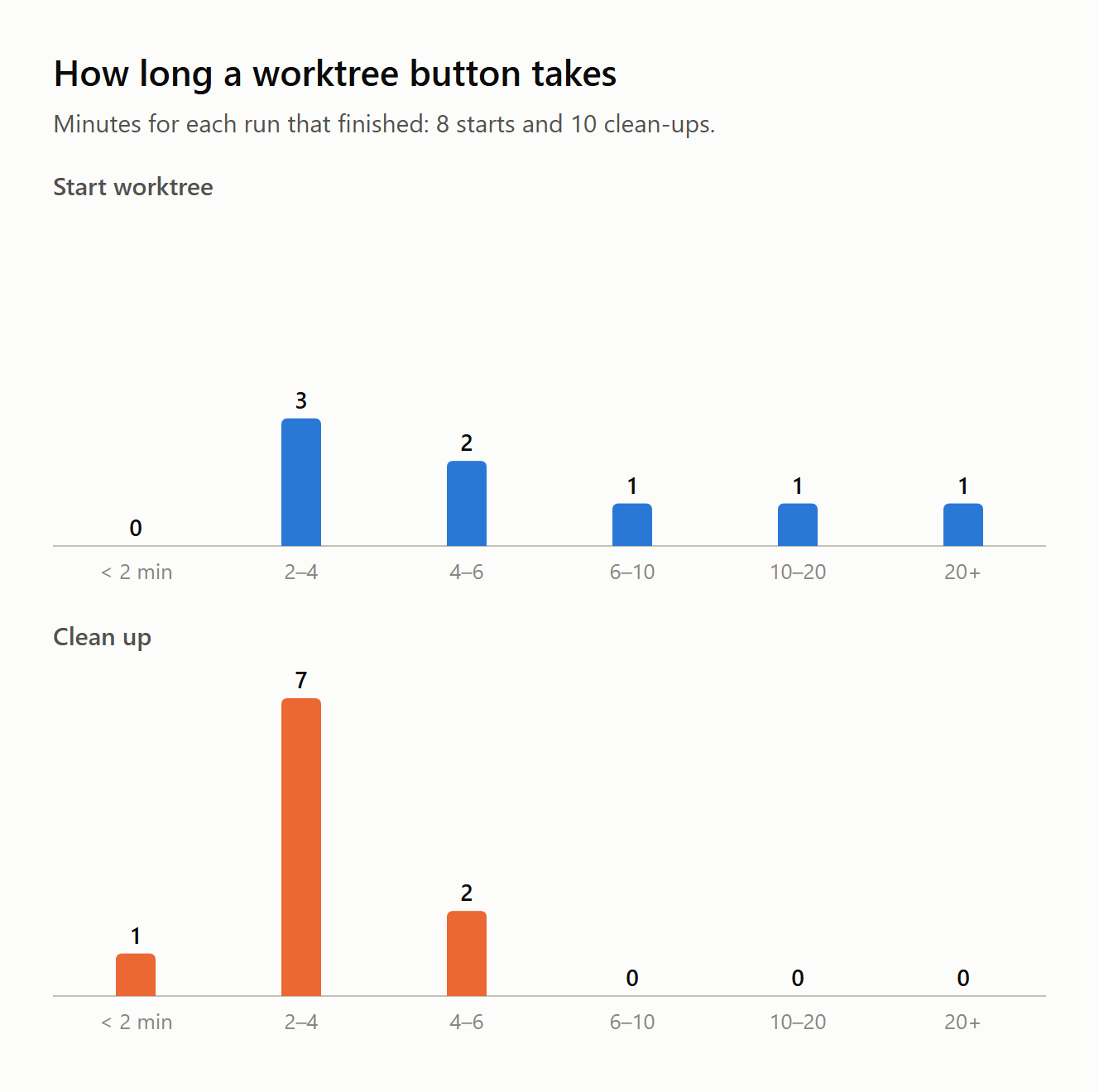
Real numbers from my own runs.
Drafted with an assistant, edited by @wintaru
0 comments