Making a dash for it: why I built my own work dashboard

@wintaru · Oct 12, 2026 · 4 min read
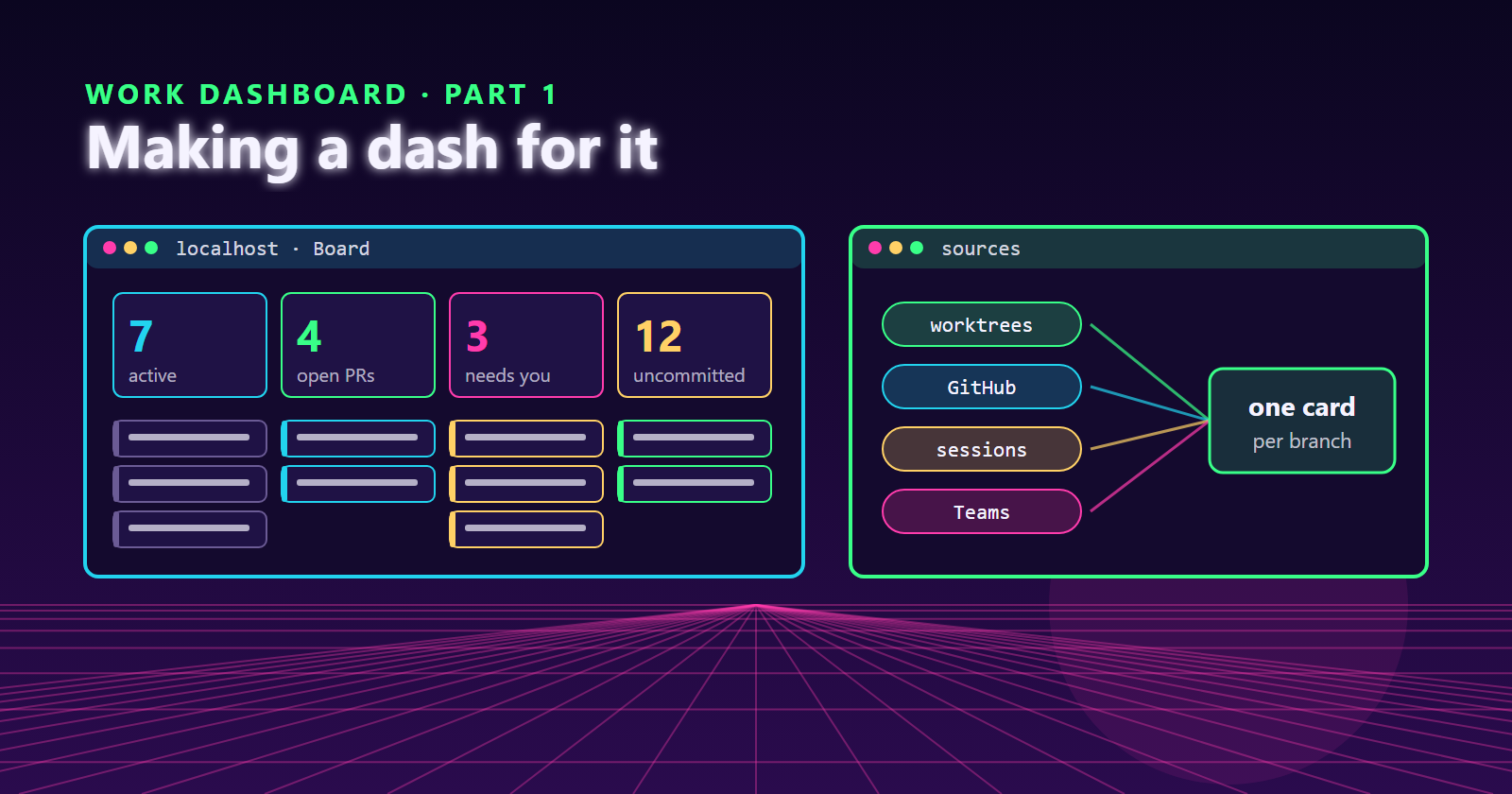
Part 1 of a series on my work dashboard.
If you juggle a pile of branches, pull requests, and AI coding sessions at the same time, this one's for you. I built a page that runs on my laptop and shows all of my current work in one place. This post is why I built it and what's on it. The rest of the series goes through it a tab at a time.
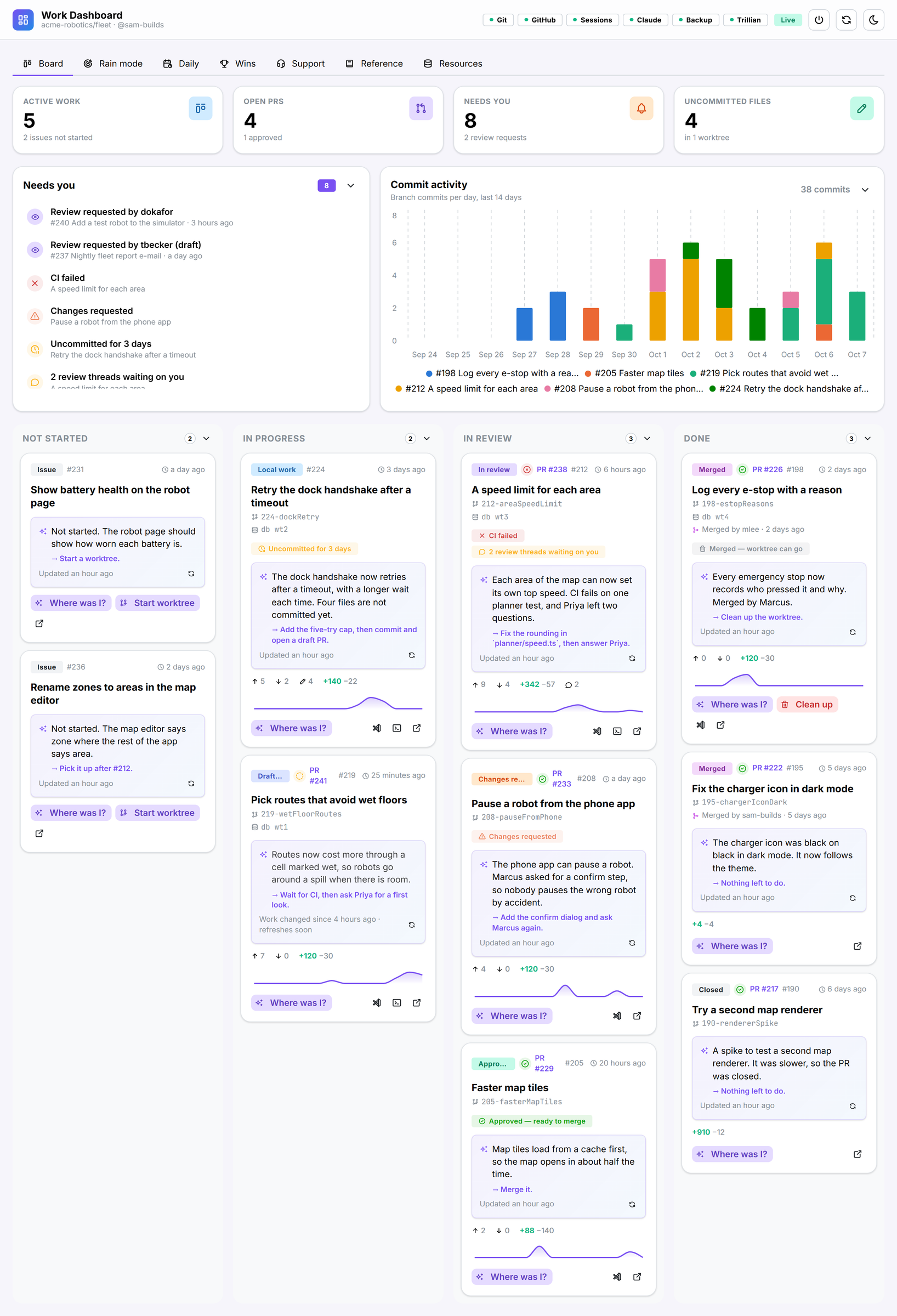
Every screenshot in this series uses a made-up company, Acme Robotics.
The problem
At work I keep a git worktree for everything. A worktree is a second copy of the same repo in its own folder, on its own branch, so I can have several things going without stashing and switching. Then there's the GitHub issue, the pull request (the request to merge a branch, where coworkers review it), the CI run (the automatic build and tests on every pull request), and a Claude Code session or three per branch. The facts about one piece of work end up in five places.
On September 23rd I asked Claude for "some kind of dashboard that I can run locally that would help me keep track of what issues I have and the PRs and where the code is." I had two rules. It uses my own Claude subscription, not a paid API key. And it keeps itself up to date by watching the folders where my worktrees live, and GitHub.
That same evening a coworker merged one of my pull requests, and my first question was how I'd see that on the dashboard. That's pretty much how the whole thing has grown since.
One card per piece of work
The Board joins it all together by branch name. Each card shows where the work stands: an issue nobody started, local work, a draft, in review, changes requested, approved, or merged. It shows whether CI passed, how far the branch is ahead of main, and how many review comments are waiting on me.
Each card also gets a TLDR, a two-sentence summary that Claude rewrites when the work changes. There's a "Where was I?" button for when I come back to something after a few days. Both of those were on my wish list from day one.
Then it kept growing
Every tab after that came from something that bugged me.
- Daily. I wanted a short write-up of what I did yesterday, with my own notes kept separate so Claude can rewrite its part without touching mine. On a Monday, "yesterday" means Friday plus the weekend.
- On my phone. I wanted it at standup. The laptop is Windows and my phone is an iPhone, but I already had Tailscale (a private network between my own devices), so now the dashboard is on my phone too. From the phone it's read-only.
- Support. Someone suggested I keep an eye on our support channel in Teams. Claude reads back a few months, tracks how each problem got solved, and keeps a running summary of what's still open. There's a box where I can ask it questions about all of it.
- Backup. Everything it keeps is JSON files on my laptop. If the machine got wiped I'd lose it all, so it copies itself to my work OneDrive.
- Wins. I just started this job, and I want to remember what I did when review time comes. Claude looks through my days, plus Teams messages where coworkers thanked me, and suggests wins to keep.
- Worktree buttons. When a pull request merges, a Clean up button has Claude remove the worktree for me. Start worktree does the opposite for a new issue.
- Pressure. Project tracking for a big project with tight deadlines: milestones and a burndown chart (the work left, drawn against the line you need to hit). A separate server shares just that tab with my teammates, so they don't see the rest of my dashboard.
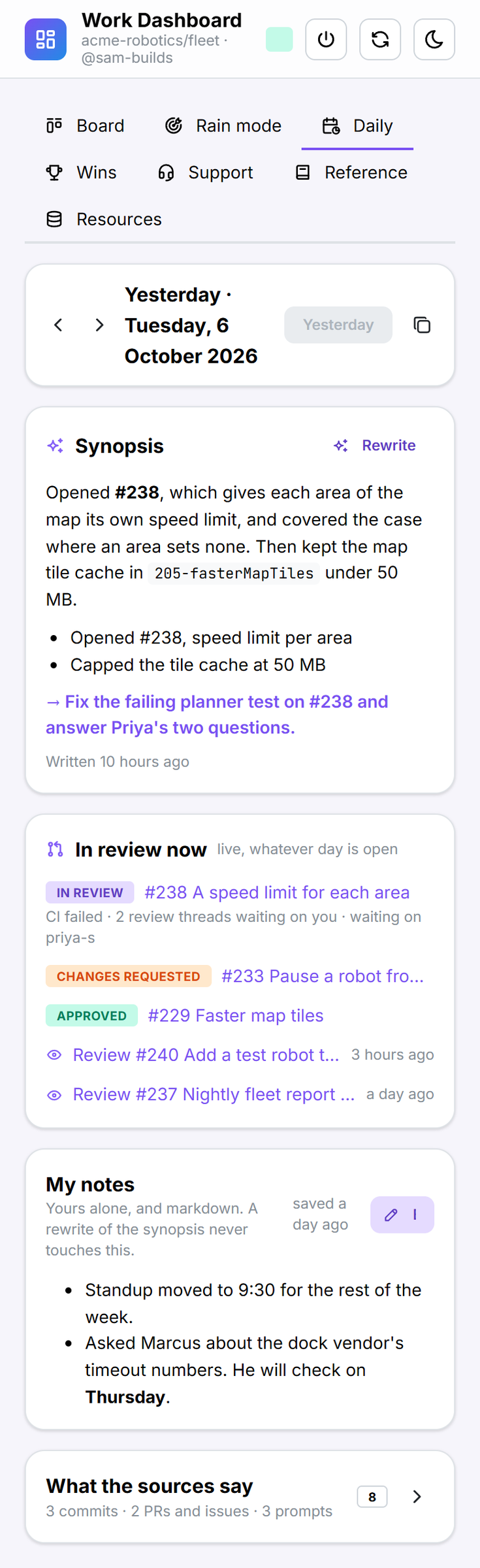
The Daily tab on my phone, ready for standup.
How it fits together
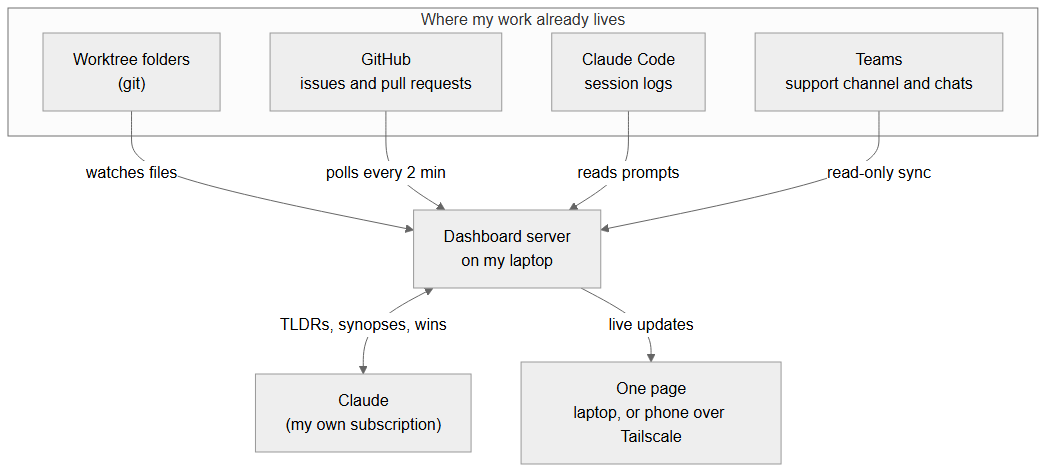
A small server runs on my laptop. It watches the worktree folders, checks GitHub every couple of minutes, reads my Claude Code session logs, and reads the support channel through Claude with read-only access. Claude writes the summaries on my own subscription. The page updates by itself when something changes.
So far it's 15 days old, with about 90 commits and 28,000 lines of TypeScript.
If you want the bigger picture of how I set up Claude Code, that's my Build your own agentic layer series. Part 6 covers how I keep a lot of worktrees and agents out of each other's way.
Next up: the Board, one card at a time.
Drafted with an assistant, edited by @wintaru
0 comments